





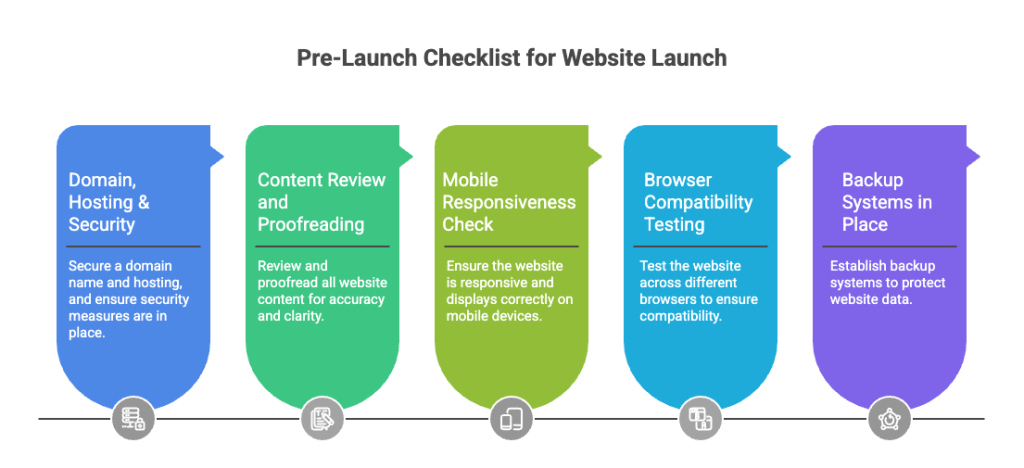
- Domain, Hosting & Security
- Content Review and Proofreading
- Mobile Responsiveness Check
- Browser Compatibility Testing
- Backup Systems in Place
- Meta Titles & Descriptions
- Header Structure
- Image Optimization
- XML Sitemap Submission
- Robots.txt Configuration
- Internal Linking Structure
- Local SEO Setup (Malaysia)
- Privacy Policy Page
- Cookie Consent
- PDPA Compliance Measures
- Terms and Conditions Page
- Clear Contact Information
Launching a business website in Malaysia requires more than design and publishing.
A proper launch ensures:
- Search engine visibility
- Fast loading speed
- Legal compliance (PDPA 2010)
- High mobile usability
- Strong conversion performance
This guide provides a structured pre-launch, launch, and post-launch checklist optimized for Malaysian businesses.
I’ve been in digital marketing long enough to know one thing:
Launching a website in Malaysia without a proper website launch checklist Malaysia is like opening a shop without checking your stock.
You feel excited.
You want to go live fast.
But one small mistake can ruin your launch.
I’ve seen many businesses rush.
Six months later, they ask why no traffic and no sales.
So here’s exactly what I check before clicking “publish”.
1. Pre-Launch Checklist: The Foundation You Can’t Skip
Before anyone visits your website, make sure the basics are done properly.
Domain, Hosting & Security
- Domain correctly pointing to hosting server
- Domain Name System (DNS) records verified
- SSL certificate installed (HTTPS active)
- No “Not Secure” browser warnings
Why this matters:
Google uses HTTPS as a ranking signal.
Sites without SSL risk lower trust and reduced conversions.
Make sure your domain is registered correctly.
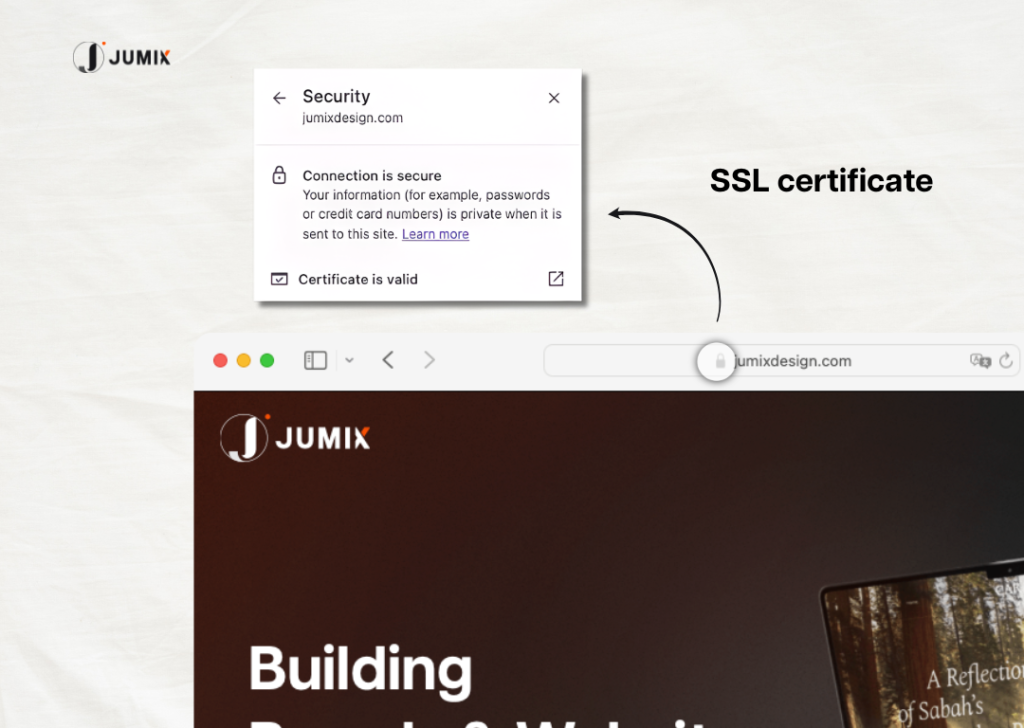
You want to see the padlock icon in the browser.
You don’t want visitors to see “Not Secure”.
Every website launch checklist Malaysia must start here.
Content Review and Proofreading
Read every page carefully.
Check for:
- Typos
- Grammar mistakes
- Strange sentences
- Robotic writing
Ask someone else to read it too.
If you have Bahasa Malaysia content, make sure it sounds natural.
Your website content should sound human, not like it was copied from Google Translate.
Mobile Responsiveness Check
Over 99.5% of Malaysian internet users access the web via mobile devices (Department of Statistics Malaysia).
That’s why mobile-first web design is critical.
Test:
- Navigation menus
- Buttons
- Forms
- Checkout process
- WhatsApp links
Target:
- No layout shifts
- No overlapping buttons
- Readable fonts without zooming
If your site looks messy on the phone, you already lose customers.

Test on different screen sizes too.
A good website launch checklist Malaysia always checks mobile first.
Browser Compatibility Testing
Open your site in:
- Chrome
- Safari
- Firefox
- Microsoft Edge
Some CSS and scripts behave differently across browsers.
Sometimes websites look fine in Chrome but break in Safari.
Test everything.
Backup Systems in Place
Before launch:
- Enable automatic daily backups
- Store backups off-server
- Test restore process
A backup that cannot be restored is useless.
2. SEO Checklist: Make Sure Google Can Find You
Many Malaysian businesses build a nice website.
But nobody can find it.
That’s why SEO must be part of your website launch checklist Malaysia.
Meta Titles & Descriptions
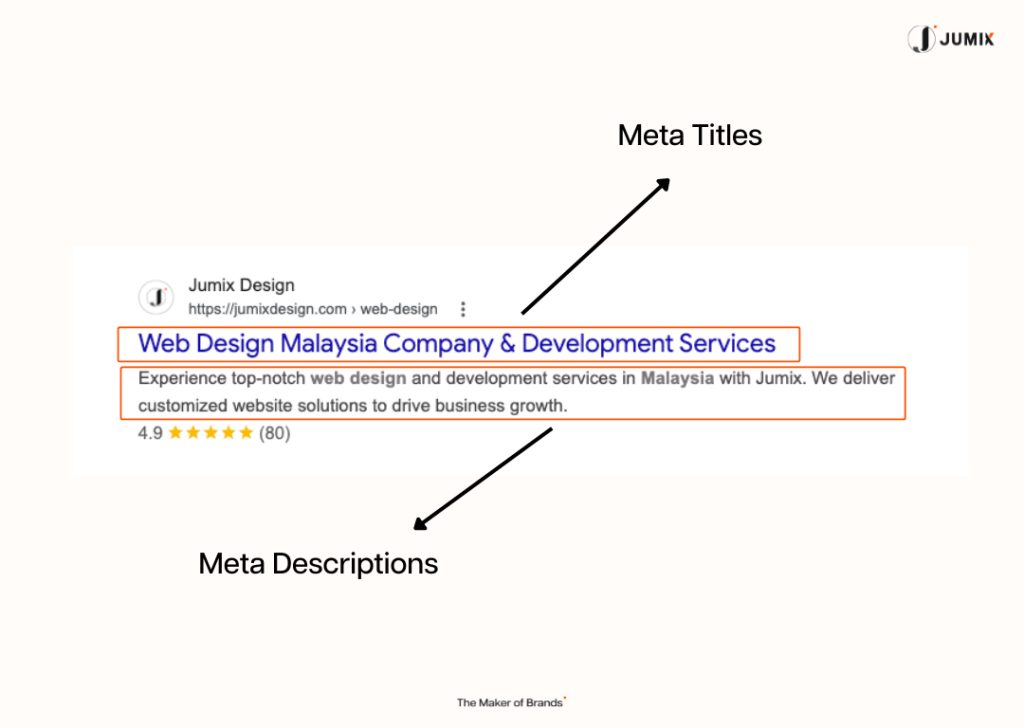
Each page must have:
- One unique title (under 60 characters)
- Natural keyword placement
- Clear value proposition
Meta descriptions:
- 140 to 160 characters
- Written for click-through rate
- Not keyword-stuffed
Header Structure
Proper hierarchy:
- One H1 per page
- H2 for sections
- H3 for subsections
Clear structure improves:
- Crawlability
- AI extraction
- Featured snippet eligibility
Good structure helps readers and Google understand your page.
Image Optimization
- Compress images (WebP preferred)
- File size under 200KB when possible
- Descriptive filenames (e.g., website-launch-malaysia.webp)
- Add alt text describing content
Large images are a common cause of slow load times.
This is basic SEO inside your website launch checklist Malaysia.
XML Sitemap Submission
Create an XML sitemap.
Submit it to:
- Google Search Console (Google)
- Bing Webmaster Tools (Microsoft Bing)
Ensure:
- No broken URLs
- No noindex pages included
- Canonical URLs are correct
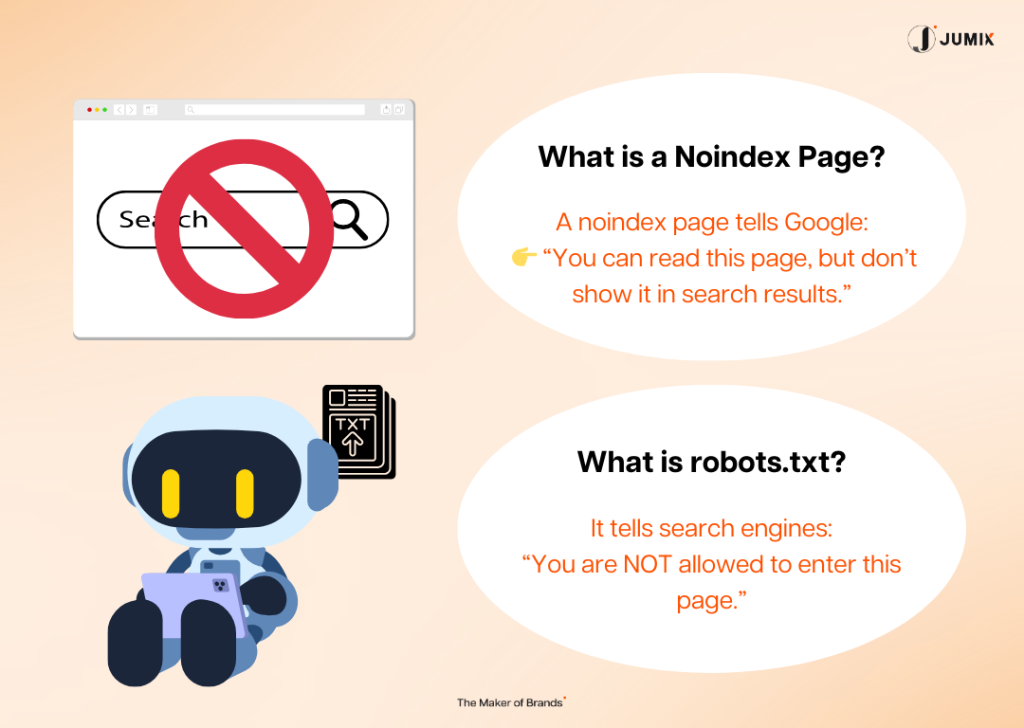
Robots.txt Configuration
Confirm you are NOT blocking:
- / (Your homepage / entire website)
- Important service pages
- Blog section
Common mistake:
Accidentally disallowing all crawlers before launch and forgetting to remove it.
Sometimes one wrong line in robots.txt can stop Google from indexing your whole site.
Always test it.
Internal Linking Structure
Every key page should be reachable within 3 clicks from the homepage.
Internal links:
- Distribute authority
- Improve crawl depth
- Increase engagement time
Link related pages together.
Internal links help users and help SEO.
Local SEO Setup (Malaysia)
Include:
- Business registration number (SSM)
- Physical address
- Google Business Profile
- Local keywords (city/state)
Register in Malaysian business directories to strengthen local authority.
Local SEO is very important in Malaysia.
3. Performance Checklist: Speed Is Very Important
53% of users leave a mobile site if it takes longer than 3 seconds to load (Google).
Malaysians don’t wait.
If your website loads slowly, they leave.
A serious website launch checklist Malaysia must focus on speed.
Page Load Speed Optimized
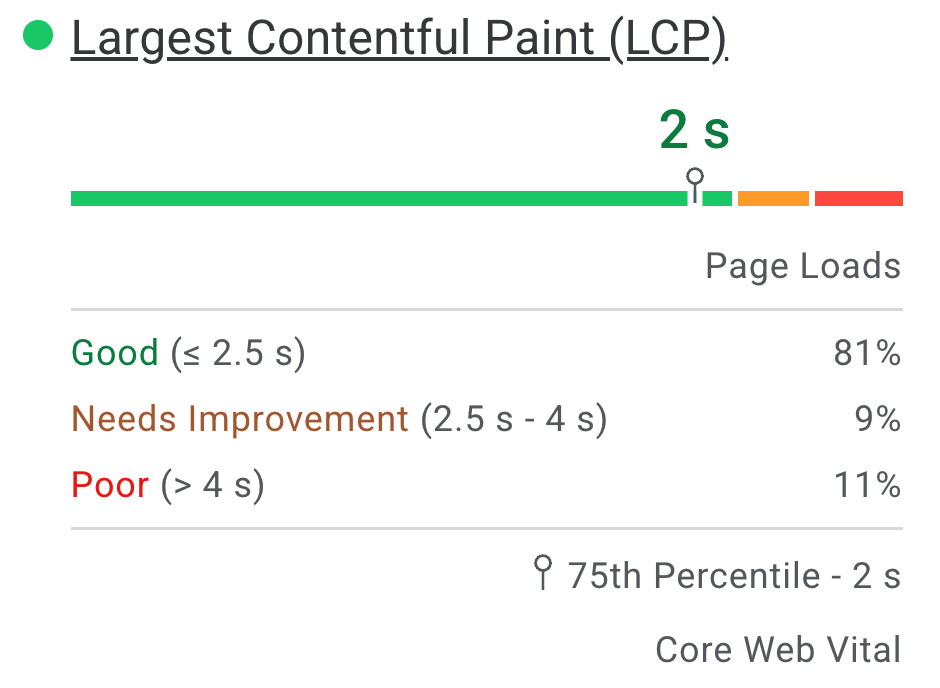
Target:
- Mobile: Under 3 seconds
- Desktop: Under 2 seconds
- LCP (Largest Contentful Paint): Under 2.5 seconds
- CLS (Cumulative Layout Shift): under 0.1
Use tools like:
If your score is low, fix it before launch.
Image and File Compression
- Enable GZIP or Brotli
- Minify CSS, JS, HTML
- Remove unused plugins
- Defer non-essential scripts
Use tools like TinyPNG.
Remove extra spaces and unused code. Cleaner code loads faster.
Too many scripts slow down your website.
Smaller files = faster website.
CDN Setup
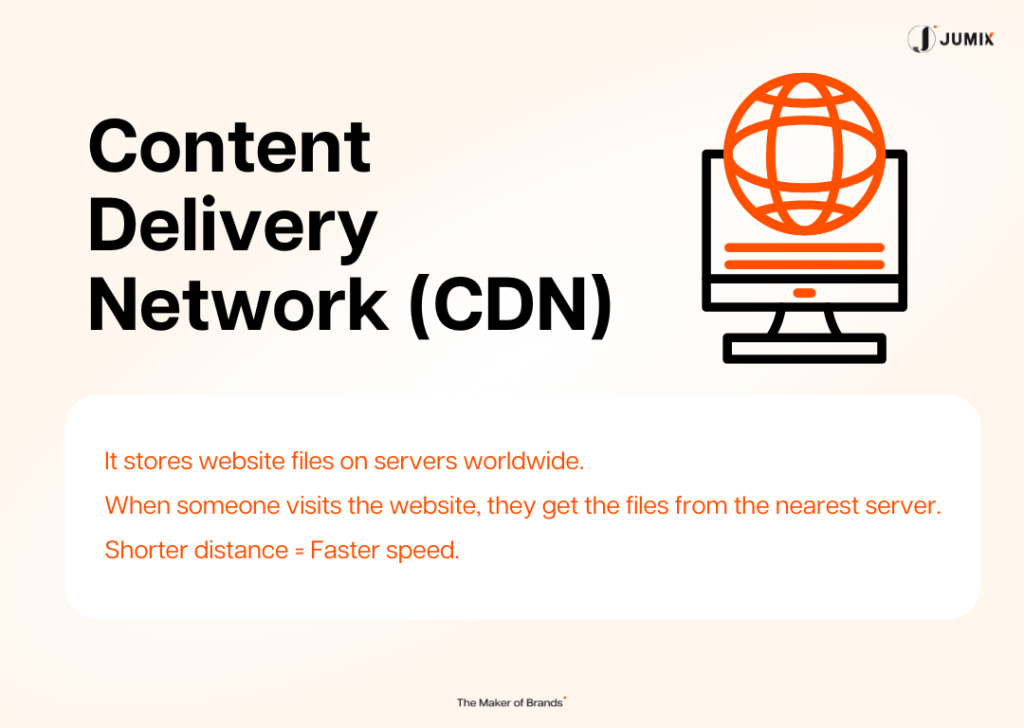
Use a Content Delivery Network (CDN) to reduce latency for Malaysian users.
Improves:
- Speed
- Uptime stability
- Security
Enable browser caching.
4. Legal & Compliance Checklist: PDPA Is Not Optional
Malaysia’s Personal Data Protection Act (PDPA) 2010 applies to all businesses collecting personal data.
Penalties can reach RM500,000 and/or imprisonment.
In Malaysia, PDPA 2010 is serious.
Your website launch checklist Malaysia must include legal compliance.
Privacy Policy Page
Create a clear privacy policy.
Must explain:
- What data is collected
- Purpose of collection
- Data storage practices
- User rights
Use clear, simple language.
Put the link in your footer.
Cookie Consent
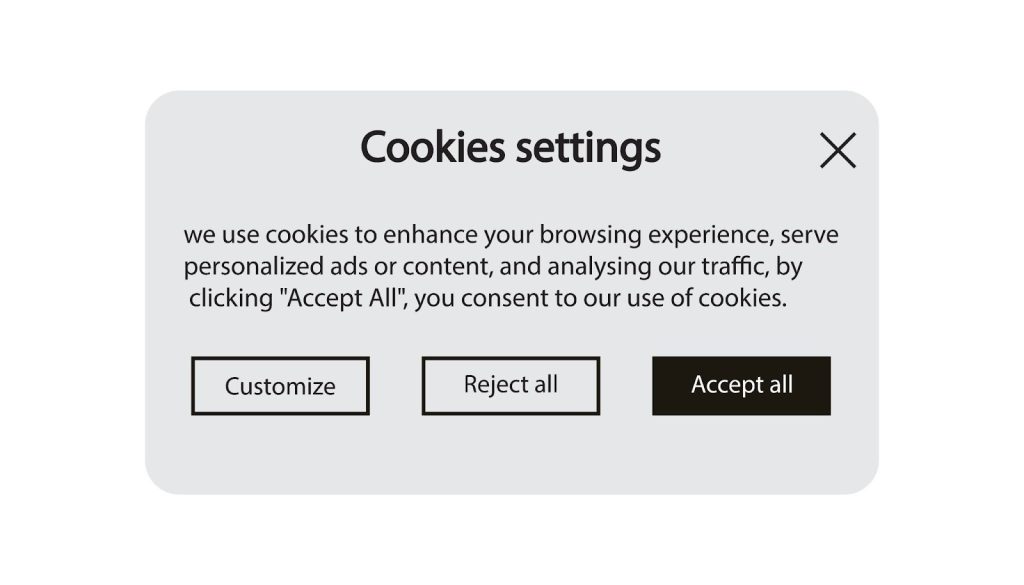
Implement a banner allowing users to:
- Accept essential cookies
- Reject marketing cookies
Must not auto-enable non-essential tracking without consent.
Explain what cookies you use.
PDPA Compliance Measures
Only collect data that is necessary for:
- Service delivery
- Legal requirements
- Customer communication
Avoid collecting:
- IC numbers (unless legally required)
- Sensitive personal data without clear justification
- Excessive form fields
Collecting unnecessary data increases legal risk.
Be ready to handle data access or deletion requests.
Terms and Conditions Page
Include:
- Service limitations
- Refund policy
- Delivery terms
- Liability clauses
If selling online, legal review is strongly recommended.
Clear Contact Information
Display:
- Business name
- SSM registration number
- Physical address
- Contact number
- Email address
Trust signals improve conversions and credibility.
Make it easy for people to contact you.
5. Conversion Checklist: Turn Visitors Into Customers
Traffic alone is not enough.
Your website must convert.
A strong website launch checklist Malaysia includes conversion steps.
Contact Form Testing
Test:
- Submission success
- Email notification
- Auto-response emails
- Spam protection
Trust Signals
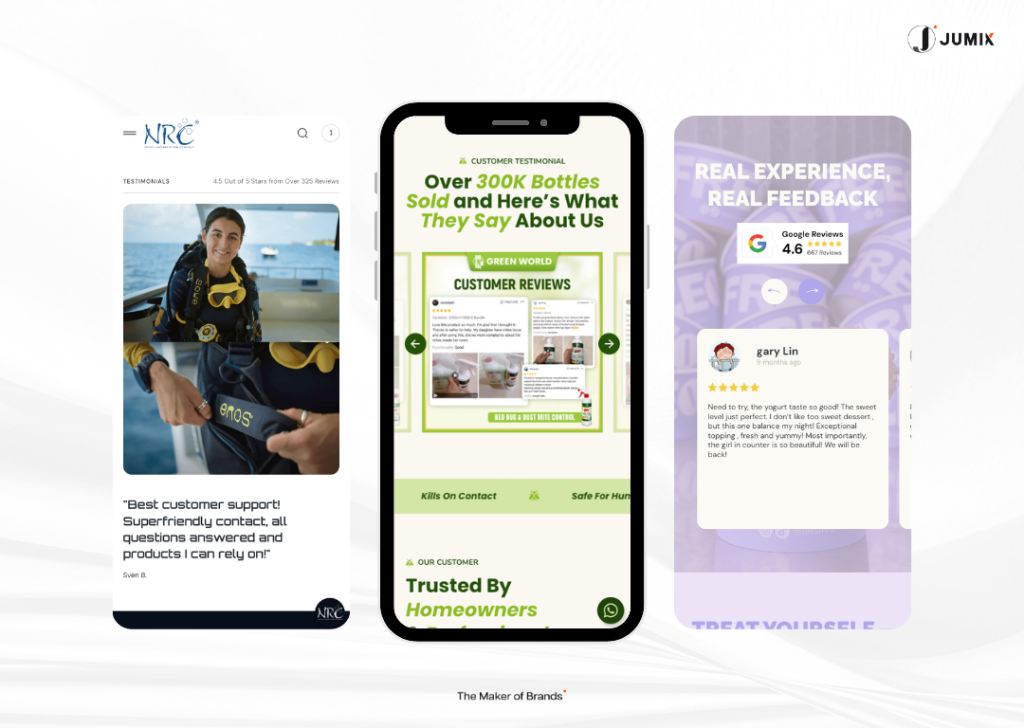
Include:
- Real testimonials
- Security badges
- Client logos
- Payment gateway logos
Trust directly impacts conversion rate.
WhatsApp integration
WhatsApp is widely used in Malaysia.
Add:
- Click-to-chat button
- Pre-filled message option
- Mobile-friendly placement
Link it directly to your number.
Make it easy for customers to message you.
Payment Gateway Testing
Test complete purchase flow:
- FPX
- Credit cards
- E-wallets
- Confirmation emails
Slow or broken checkout reduces revenue immediately.
6. Post-Launch Checklist: Work Continues After Launch
Launching is only the beginning.
Your website launch checklist Malaysia does not end on launch day.

Analytics Setup
Install:
Monitor weekly during the first month.
Broken Link Check
Scan for:
- 404 errors
- Incorrect redirects
- Missing images
Fix immediately.
Use a broken link checker.
Set 301 redirects if needed.
Gather Initial User Feedback
Within first 2 to 4 weeks:
- Ask early customers about usability
- Request honest navigation feedback
- Identify confusing sections
- Check if messaging is clear
Feedback sources:
- Friends
- Beta customers
- Existing client base
- Staff testing
Small UX fixes early prevent long-term conversion loss.
Final Thoughts
A website launch is not just a design milestone.
It is a technical, legal, and performance event.
Businesses that follow a structured launch checklist typically:
- Rank faster
- Convert better
- Avoid legal risk
- Experience fewer technical issues
Skipping launch preparation often leads to:
- Poor traffic
- Low trust
- Lost sales
- Expensive fixes later
Treat launch as infrastructure, not decoration.
Ready to Launch Properly?
Use this website launch checklist Malaysia as your guide.
Don’t rush.
Build your foundation strong.
If you want expert help to handle your full website launch checklist Malaysia properly, from SEO to performance to conversion, Jumix can help you do it the right way from the start.
Frequently Asked Questions
How long before launch should I start my website launch checklist?
Start 2 to 3 weeks before launch. SEO setup and compliance checks require time for testing and corrections.
Do I really need to worry about PDPA compliance for a small Malaysian business website?
Yes. PDPA applies to any business collecting personal data in Malaysia, regardless of size.
Should I launch before it’s 100% perfect?
Launch when:
- Core functionality works
- SEO basics are complete
- Legal compliance is confirmed
- Speed targets are met
Improvements can continue post-launch.
How often should I review my website after launch?
- Weekly checks (first month)
- Monthly mini-audit
- Quarterly full review
Websites require maintenance. Always.
Can I do this website launch checklist myself?
Yes, if you’re willing to learn. Technical SEO and PDPA compliance may require expert guidance. At minimum, get legal review for privacy and terms. Doing it right from the start saves far more later.
What tools do I need?
- Google Search Console (free)
- Google Analytics (free)
- GTmetrix (free version available)
- Broken link checker
- SSL certificate (often included in hosting)
Most tools are free.
Execution discipline matters more than budget.







Comments are closed for this article!