







Website speed in Malaysia has a clear bar: a business site should load in under 2.5 seconds (LCP) and respond to taps in under 200 milliseconds (INP). That’s Google’s own threshold for “good,” measured on real mobile connections. Miss it and you lose visitors before they see your offer.
- Quick Takeaways
- What “Fast Enough” Actually Means
- How to Check Your Own Site’s Speed
- Website Speed Malaysia: How Fast Sites Really Load
- What a Slow Site Actually Costs You
- Local Hosting vs Overseas Hosting
- The Fixes That Actually Move the Needle
- FAQ
- The Bottom Line
Quick Takeaways
- Google’s “good” thresholds are LCP under 2.5 seconds, INP under 200 milliseconds, CLS under 0.1 (Source: web.dev).
- Malaysia’s median mobile download speed reached 143.56Mbps by August 2025, up 34.2 percent in a year (Source: DataReportal, Digital 2026: Malaysia, citing Ookla).
- Fast connections don’t fix a bloated site. A 0.1-second speed improvement lifts mobile conversion rates by 8.4% for retail sites and 10.1% for travel sites (Source: web.dev / Deloitte “Milliseconds Make Millions”).
- Server location still matters on a fast network. Every hop between a visitor and your server adds latency before a single pixel renders.
- Most Malaysian SME sites fail on image weight and third-party scripts long before hosting becomes the bottleneck.
I’ve had this conversation more times than I’d like.
A client points at their bounce rate.
They blame the design, the copy, the offer. Then I open PageSpeed Insights and the homepage takes 6 seconds to paint on mobile.
Nobody reads copy on a page that hasn’t finished loading.
What “Fast Enough” Actually Means
Google measures “fast” with three specific metrics, called Core Web Vitals.
Largest Contentful Paint (LCP) measures how long the biggest visible element takes to load.
Interaction to Next Paint (INP) measures how fast the page responds after a tap or click.
Cumulative Layout Shift (CLS) measures how much the page jumps around while it loads.
Google scores all three at the 75th percentile of real visitor field data (Source: web.dev).
| Metric | Good | Needs improvement | Poor |
|---|---|---|---|
| LCP (load speed) | Under 2.5s | 2.5s–4s | Over 4s |
| INP (responsiveness) | Under 200ms | 200ms–500ms | Over 500ms |
| CLS (visual stability) | Under 0.1 | 0.1–0.25 | Over 0.25 |
Miss the “good” band on any one metric and Google flags the whole page as needing work.
That flag shows up in Search Console. It can also shape how your page ranks against a faster competitor targeting the same keyword.

How to Check Your Own Site’s Speed
You don’t need a developer for this. Five minutes and a browser is enough.
- Open Google’s PageSpeed Insights and paste in your homepage URL.
- Run the test on the mobile tab first. Most of your Malaysian visitors are on a phone.
- Check the LCP, INP, and CLS scores against the “good” thresholds above.
- If the tool shows a “field data” section, trust that over the lab score. Field data comes from real visitors on real networks.
- Scroll to the “Opportunities” list. It ranks fixes by how many seconds each one would save.
Run the same test on your top 2 or 3 landing pages too, not just the homepage.
A fast homepage with a slow checkout page still loses the sale.
Website Speed Malaysia: How Fast Sites Really Load
Malaysia’s mobile networks are genuinely fast now.
Median mobile download speed reached 143.56Mbps by August 2025, a 34.2 percent jump in a single year (Source: DataReportal, Digital 2026: Malaysia, citing Ookla).
Malaysia had 44.0 million cellular mobile connections by late 2025, equivalent to 122 percent of the population (Source: DataReportal, Digital 2026: Malaysia).
Here’s the part that surprises most business owners.
A fast network doesn’t save a slow website.
143Mbps of bandwidth still can’t shorten the round trip to a server sitting in another country.
It still can’t shrink a 4MB hero image, and it still can’t skip 40 render-blocking scripts stacked from three years of plugins nobody removed.
I’ve watched sites on great connections still fail LCP because the page itself is the bottleneck.
What a Slow Site Actually Costs You
Speed is revenue, measured directly.
A 0.1-second improvement in mobile site speed lifts conversion rates by 8.4 percent for retail sites and 10.1 percent for travel sites (Source: web.dev / Deloitte “Milliseconds Make Millions”).
The same study measured a 9.2 percent lift in consumer spending on retail sites that sped up.
That’s real money left behind by a slow-loading product page.
Think about what that means for a Shopee-priced ad campaign.
You pay RM3 per click to bring a shopper to your site.
If the page takes 8 seconds to load, most of that RM3 just evaporated before the shopper saw your product.
If it were my ad budget, I’d fix the landing page before I raised the bid.
We saw this play out with The Sanctuary Scalp, a scalp care clinic that sent Google Ads traffic straight to a dedicated landing page instead of a general site.
A lean, purpose-built page loaded fast and answered the visitor’s hesitation immediately, instead of asking a paid click to wait on a bloated homepage.
Local Hosting vs Overseas Hosting
Where your server sits still changes your numbers.
Data has to physically travel from the server to the visitor’s phone.
A server in Kuala Lumpur answers a KL visitor faster than a server in Virginia ever will, no matter how good either connection is.
That gap shows up directly in your LCP score.
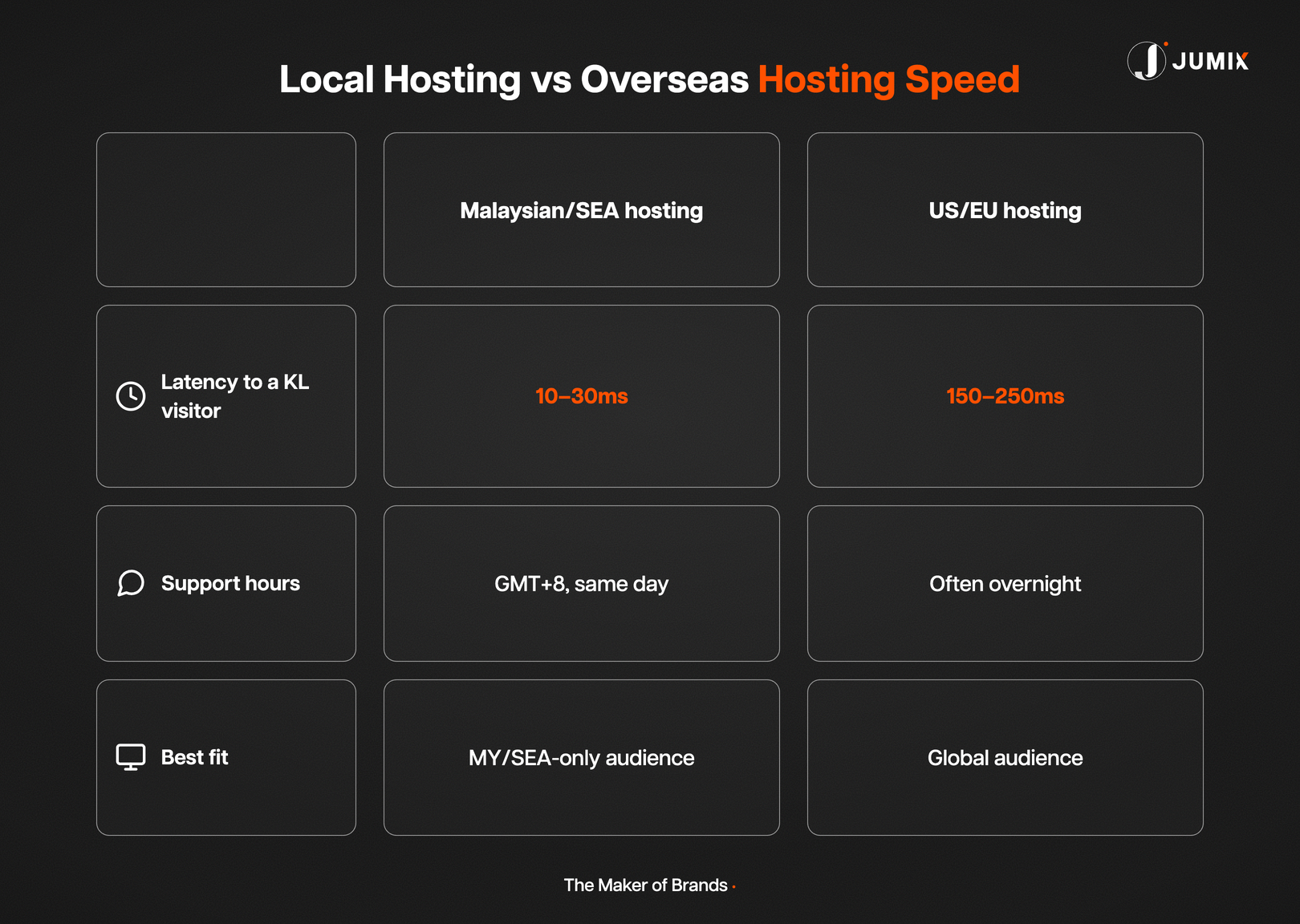
| Malaysian/SEA hosting | US/EU hosting | |
|---|---|---|
| Typical latency to a KL visitor | 10–30ms | 150–250ms |
| Support hours | GMT+8, same working day | Often overnight for MY |
| Best fit | MY/SEA-only audience | Global or US-heavy audience |
If every one of your customers is in Malaysia, a Malaysian or Singapore data center is the easier decision.
If you sell to buyers across Southeast Asia and beyond, a CDN in front of any origin server closes most of the gap by caching your pages at edge locations near each visitor. See our breakdown of self-hosting versus managed hosting in Malaysia for the full picture.
A CDN doesn’t fix a slow origin server, though.
It caches the pages closest to your visitor, but the first request and any content generated per visit still travels back to the original server.
Cheap shared hosting is where this usually falls apart.
A RM10-a-month shared plan crams hundreds of sites onto one server. Your site inherits every neighbor’s traffic spike.
I’d rather pay for a cloud plan with dedicated resources than gamble on a shared box that slows to a crawl the moment someone else’s site goes viral.

The Fixes That Actually Move the Needle
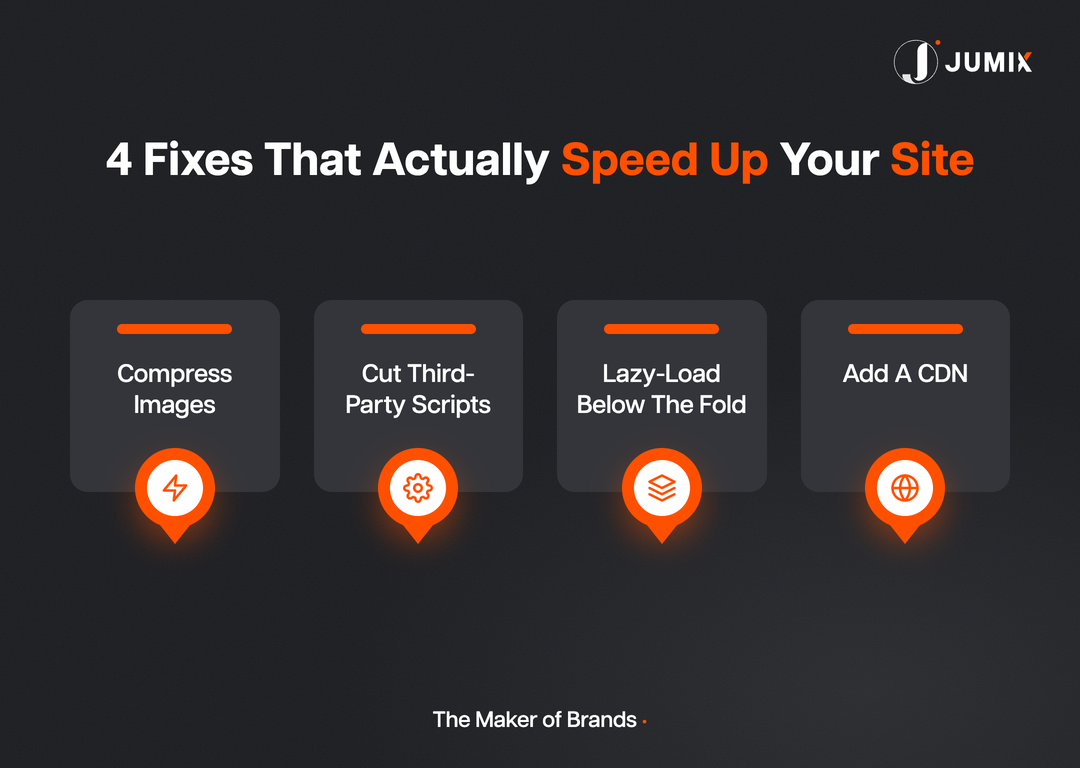
Most Malaysian SME sites fail on the same four things, in roughly this order of impact.
- Compress images before upload. A single uncompressed banner photo can weigh more than the rest of the page combined. A tool like TinyPNG or Squoosh cuts most photos by 60 to 80 percent with no visible quality loss.
- Cut third-party scripts. Every extra chat widget, tracking pixel, and review plugin adds its own load delay. Audit what’s actually installed and remove anything nobody checks the data from.
- Lazy-load anything below the fold. The browser shouldn’t fetch images the visitor hasn’t scrolled to yet. Most modern themes support this natively, no plugin required.
- Put a CDN in front of the site. It serves cached content from a node closer to the visitor, cutting the physical distance a request has to travel. Cloudflare’s free tier covers this for most small business sites.
None of these require a full rebuild.
But when a site is old enough that plugins have piled up for years, patching one metric at a time stops paying off.
At that point, a proper redesign built around performance from the start costs less than the ad spend you’re losing every month to a slow homepage.
Ongoing website maintenance matters here too. Plugin updates and image audits keep a fast site fast instead of letting it decay back to where it started.
Free website builders add their own speed problems on top.
Many bundle a fixed template and third-party scripts you can’t remove. That’s one reason “free” builders carry a real performance cost that only shows up after launch.
FAQ
What is a good page load time for a Malaysian business website?
Under 2.5 seconds for Largest Contentful Paint on mobile, measured at the 75th percentile of real visits. That’s Google’s own “good” threshold (Source: web.dev).
Does website speed affect Google ranking in Malaysia?
Yes. Core Web Vitals are part of Google’s page experience signals. A page that fails them gets flagged in Search Console, and can rank behind a faster competitor for the same keyword.
Is Malaysian hosting always faster than overseas hosting?
For Malaysian visitors, yes, on raw latency. A server in KL or Singapore answers faster than one in the US or Europe. A CDN narrows that gap for a global audience, but doesn’t erase it entirely.
How do I check my website’s actual speed?
Google’s PageSpeed Insights tests both a lab score and real Malaysian visitor data where enough traffic exists. It reports LCP, INP, and CLS directly against the “good” thresholds.
Will fixing speed alone increase my sales?
Speed clears the path to the sale. The page still needs a clear message and a real reason to buy. A slow page just loses visitors before they see either.
The Bottom Line
Malaysia’s networks are fast enough now that a slow site is almost always the website’s own fault.
Check your numbers against the thresholds above. If your LCP sits past 4 seconds, you’re losing customers every single day.
Start with the quick wins. Compress images, cut the scripts you don’t need, add a CDN.
If the site is old enough that those fixes only buy you a few hundred milliseconds, it’s time to talk about a rebuild instead of another patch.
Jumix builds every Malaysian business website with performance treated as a launch requirement from day one.







Comments are closed for this article!